
[ Toolbox Talks ]
Toolbox talks that take minutes, not a blank page
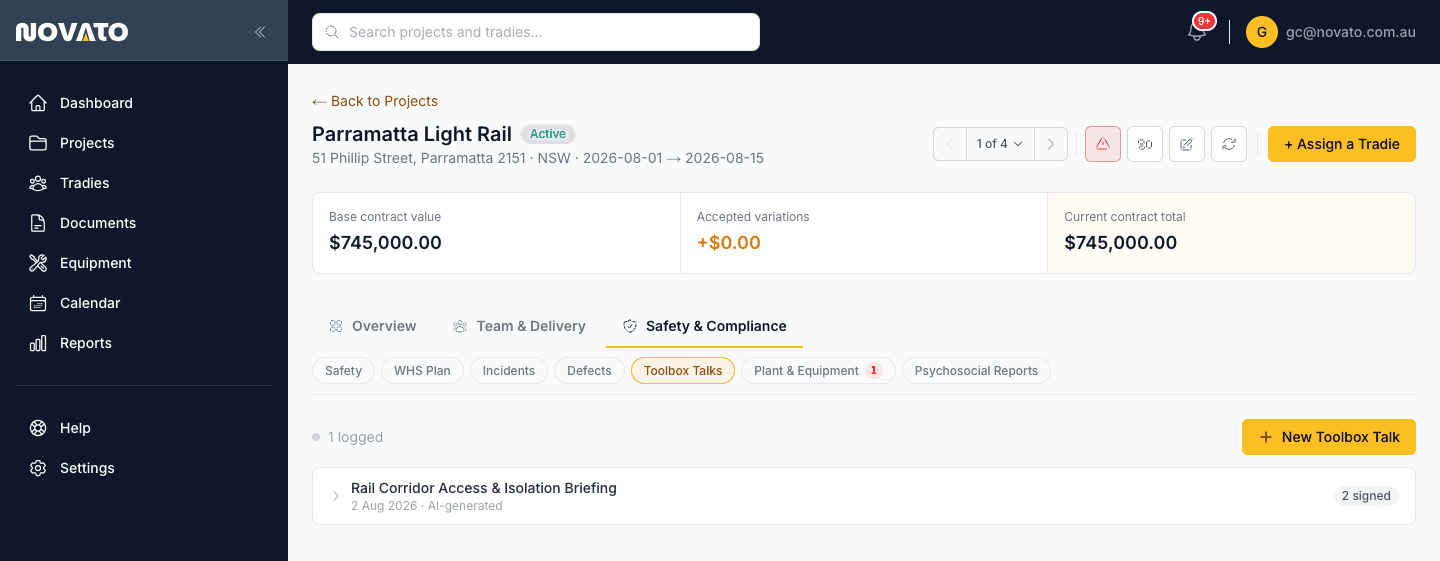
A toolbox talk is only useful if it actually happens — and it's easy to skip when writing one from scratch feels like more admin than the 10-minute conversation it's meant to be. Novato drafts one from a title and hazard categories, or you write it yourself, either way in minutes.
How it works
Click "New Toolbox Talk"
Give it a title — something concrete, like "Working near live traffic corridor."
Generate it or write it manually
Let Novato draft "what was discussed" from selected hazard categories, or write it yourself if you'd rather.
Save it
It's recorded against the project, ready to reference later.
Share it with the crew
Shareable links let the people who attended (or need to catch up) see what was covered.
How this fits Australian WHS compliance
Toolbox talks are a standard, well-understood part of ongoing site safety communication — Novato's role is removing the friction that causes them to get skipped, not adding a new compliance requirement on top of what a toolbox talk already is.
Common questions
Can I still write a toolbox talk myself instead of generating one?
Yes — generation is one option, not a requirement. You can write the "what was discussed" content manually.
Is there a limit on how many I can generate?
AI generation is capped monthly per plan; manually written toolbox talks aren't affected by that cap.
Is this included on every plan?
Toolbox Talks is available from every plan tier, including the free trial — only the monthly AI-generation volume differs by plan.